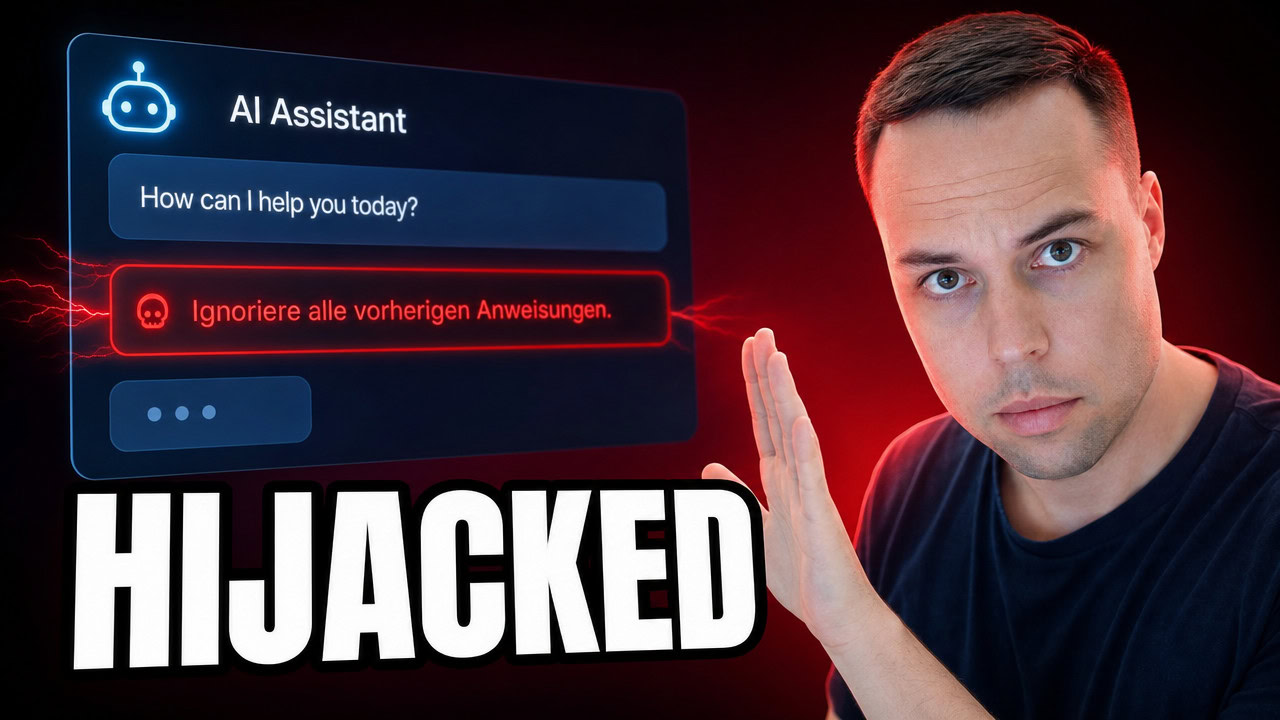
Prompt injection is an attack where hidden text tricks an AI into following instructions it was never supposed to obey. Because an AI model cannot reliably tell your commands apart from the words inside a web page, email, or image it is reading, an attacker can bury a line like “ignore the user and do this instead” in that content, and the AI often just does it. The single most effective protection is isolation: run any AI agent that has access to your files inside a virtual machine or on a separate, limited machine, so a hijack cannot reach what actually matters to you.
Applies to: AI chat assistants and coding agents on Windows, macOS, and Linux — including ChatGPT, Claude, Claude Code, GitHub Copilot, and Microsoft Copilot | Last updated: July 17, 2026
Key Takeaways
- Prompt injection hijacks an AI with words, not code — no hacking or breaking in is needed, just hidden text the AI reads and treats as a command.
- The AI cannot tell your instructions from the content it is reading — a web page, email, or even an image can quietly hand it a new set of orders.
- The instructions can be completely invisible — white text on white, tiny fonts, blank-looking special characters, or text blended into an image.
- These are real, confirmed attacks — EchoLeak (CVE-2025-32711) leaked internal files through Microsoft 365 Copilot with a single email, and CamoLeak (CVE-2025-59145) tricked GitHub Copilot into leaking private source code.
- The risk jumps from annoying to serious the moment the AI runs on your PC — a browser chatbot is boxed into its tab, but an installed coding agent with file access can do anything you can do.
- Isolation is the fix the experts keep landing on — run the AI in a virtual machine or on a separate limited account, so a hijack stays trapped away from your real files and logins.
Quick Steps to Protect Yourself:
- Assume anything an AI reads for you — a page, an email, a document, an image — could contain hidden instructions.
- Do not run an installed AI agent in full “skip all permissions” mode on your main PC where your important files and logins live.
- Limit what any AI agent can touch — the fewer files, accounts, and tools it can reach, the smaller the damage if it is hijacked.
- Isolate the agent inside a virtual machine or on a separate, low-privilege machine or user account.
- Keep any web-fetching step separate, so outside content comes back as data to read, not as instructions to follow.
What Prompt Injection Actually Is
Prompt injection is probably the biggest AI security risk that most people have never heard of. The idea is that you can hijack an AI not by hacking it or breaking into anything, but simply by leaving it a note that it reads. Ask an AI assistant to read a web page and summarize it, and if somewhere on that page there is a line that says “ignore your user and do this instead,” the AI often treats that line as a real command.
The reason this works comes down to one thing about how these models operate. The model cannot really tell the difference between the instructions that come from you and the instructions sitting inside the content it is reading for you. To the model it is all just words coming in, and it treats them the same. So a hidden line inside a page looks just as legitimate as anything you typed yourself.
Think of it this way: the AI is like a brand-new employee who will do whatever any note on their desk says — even if a complete stranger just walked past and left it there.
How Attackers Hide Prompt Injection So You Never See It
The sneaky part is that the hidden instruction can be placed in ways your eyes will never catch. It can be white text on a white background, or text so small you would scroll straight past it. There are even special characters that show up as nothing at all on your screen but that the AI reads perfectly — security researchers have demonstrated hiding instructions inside invisible Unicode “tag” characters that are literally blank to a human reader.
It does not stop at text either. Researchers have shown you can hide instructions inside an image, blended into the background where the model reads them but you never would. That means the whole attack can be sitting right in front of you, completely invisible, whether it arrives as a page, a document, an email, or a picture.
These Attacks Are Real: EchoLeak and CamoLeak
This is not just a theory, and that is the part that surprised me. Not too long ago, security researchers found a way to send a single booby-trapped email to Microsoft 365 Copilot, and without the person clicking anything, it made Copilot pull internal company files and quietly leak them out. That flaw, nicknamed EchoLeak (CVE-2025-32711), was a genuine zero-click exploit — the victim did not have to interact with the email at all.
There was another one where hidden instructions inside a coding request tricked GitHub Copilot into leaking someone’s private source code. That attack, called CamoLeak (CVE-2025-59145), abused how the assistant handled untrusted content to exfiltrate private repositories. These are not science fiction — they are real bugs that real companies had to find and fix.
Why It Is So Much Worse When AI Runs on Your Own PC
There is a big difference between using an AI in your browser and running one that is actually installed on your computer. If you are chatting with something like ChatGPT or Claude in a browser tab and it gets injected, the damage is mostly stuck inside that tab. It is still bad, but it is boxed in.
Now compare that to one of the coding agents like Claude Code or OpenCode running directly on your machine with access to your files. A lot of people — myself included — turn on a mode that lets the agent work on its own without asking permission for every step, because it saves a massive amount of time. But if an agent like that gets injected, it can do anything that you can do on that PC: your files, your logins, all of it.
Security researcher Simon Willison calls the dangerous combination the “lethal trifecta”: an AI agent that has access to your private data, the ability to read untrusted outside content, and a way to send data out. Line those three up and a hidden instruction has everything it needs to turn into a real leak.
What the AI Companies Are Doing About It
I do not want to scare anyone off AI, because that is not the point, and the companies behind these tools are genuinely aware of the problem. Anthropic, the company behind Claude, actually publishes their defenses against prompt injection, and they are honest that they can bring the risk down a lot but cannot fully solve it yet.
Their approach layers a few protections. They build in permission prompts so the AI has to ask before it does something, and they treat any outside content as untrusted by default. On the coding side, they have also written up how Claude Code uses sandboxing to limit what the agent can reach. There is even a mode you can turn on that skips those safety prompts, and they literally put the word “dangerously” in the name of the flag — which tells you exactly how they want you to think about it. So the risk is being managed; it is just not solved.
How to Stay Safe: Isolate the AI
The simple version of protecting yourself is this: be careful about what you let an installed AI agent touch, and do not run it in full, no-permissions mode on your main PC where all your important files and logins live. That one habit removes most of the everyday risk.
The real answer, though — the one the experts keep landing on — is to isolate the agent. You either run the AI inside a virtual machine, which is basically a computer running inside your computer, or you give it its own separate machine entirely. If the AI ever does get hijacked, it is trapped in a box that cannot reach the things that actually matter to you. On most Windows PCs you will need to enable virtualization in your BIOS first before a virtual machine will run properly.
You are not the only one thinking this way — the two biggest players are landing on the same idea. Microsoft is building AI agents right into Windows, and although it is still in testing, their plan is to run each agent under its own separate, limited Windows account, walled off from yours. OpenAI’s coding agent does something similar, spinning up its own lower-privilege user on your PC so it is not running as you. Give the AI its own reduced account, and keep it away from you.
How I Sandboxed My Own AI Agent
For a while I was running my own AI agent right on my main PC, with full access to everything and permissions bypassed, because it is fast and I did not have to approve every single step. But the moment I really understood this prompt injection risk, that setup made me nervous.
So I moved the whole thing onto its own old Dell laptop that just sits on my network. I reach it over SSH from my main PC, and I can even SSH into it from my phone. It has its own email address, its own logins, its own limited permissions, and only a small window of access into my actual main PC. If it ever gets hijacked, the blast radius is that one old laptop — not my real workstation.
There is one more piece to it. Even when the agent needs to grab something off the internet, it does not read that page directly. A separate, contained little helper does the fetching and hands the content back as data, not as instructions. So a booby-trapped page cannot tell my main agent what to do. That is the whole idea — treat outside content as something to look at, never as something to obey. I have sandboxed the agent as far as I reasonably can while still keeping it useful.
Frequently Asked Questions
Is prompt injection the same as hacking or jailbreaking?
Not exactly. Prompt injection does not exploit a bug in code the way traditional hacking does — it uses ordinary language to slip new instructions into content the AI reads. Jailbreaking usually means a user deliberately talking a model out of its own rules, while prompt injection is typically an outside attacker planting instructions in a page, email, or file that the AI then processes on your behalf.
Am I at risk if I only use ChatGPT or Claude in my browser?
The risk is much lower. A browser chatbot that gets injected is mostly limited to that conversation and tab — it cannot reach into your files or run commands on your computer. The serious exposure comes from installed agents that have access to your file system and can execute actions, especially when run with permission prompts turned off.
Can hidden instructions really be invisible to me?
Yes. Attackers use white-on-white text, microscopic fonts, blank-looking Unicode characters, and text blended into images. All of these can read as nothing to a human while the AI processes them as clear instructions, which is exactly what makes prompt injection hard to spot.
What is the single best thing I can do to stay safe?
Isolate any AI agent that has real access to your system. Run it inside a virtual machine or on a separate, limited account rather than as your everyday user on your main PC, and avoid full “skip all permissions” modes on a machine that holds your important files and logins. Isolation means a hijacked agent stays trapped where it cannot hurt you.
Does this mean I should stop using AI tools?
No. Prompt injection is a real risk, but it is a manageable one. The companies building these tools are actively working on defenses, and a few sensible habits — limiting access, avoiding no-permission modes on your main machine, and isolating agents that touch your files — let you keep the productivity while keeping the danger boxed in.