

I’m staying on Windows 11 — at least for now — for four practical reasons: I’m building Winhance and need to live in the OS I’m fixing, competitive games like Counter-Strike 2 still feel sharper on Windows, the productivity software I rely on (Adobe and Microsoft Office) doesn’t have true Linux equivalents, and Linux isn’t actually more stable than Windows once you account for distro update breakage. Privacy is the one place Linux genuinely wins, but a VPN closes most of that gap on either OS.
Applies to: Windows 10 (22H2), Windows 11 (23H2, 24H2, 25H2), and Linux (general) | Last updated: May 4, 2026
These days it seems like everyone’s talking about moving away from Windows and switching to Linux. Some of that is fair — Windows 10 support has ended, the free year of Extended Security Updates only buys so much time, and Microsoft has made some genuinely questionable choices: ads in the Start menu, Recall snapping screenshots of your screen, Copilot wedged into every corner of the OS, and an “agentic” Windows where AI is increasingly making decisions for you.
I’m not against AI in general — I use it daily for coding and content creation. But it doesn’t need to be inside every menu, settings panel, and File Explorer right-click. So I get the appeal of jumping ship.
Here’s the catch: switching to Linux doesn’t automatically solve those problems. It trades them for a different set. Below are the four reasons I’m not making the switch yet, and the one place where Linux genuinely beats Windows.
Key Takeaways
- Linux isn’t a one-size-fits-all replacement for Windows — your specific use case (gaming, creative software, work) matters far more than general “Windows bad, Linux good” advice
- Linux gaming has improved dramatically thanks to Proton and the Steam Deck, but competitive titles like Counter-Strike 2 still feel less responsive, and games with kernel-level anti-cheat (Fortnite, Destiny 2, Valorant) either don’t run or can get you banned
- Adobe Creative Cloud and Microsoft Office have no real Linux equivalents — GIMP and LibreOffice are good, but a decade of Photoshop or Excel muscle memory isn’t a free transfer
- Linux is not automatically more stable than Windows — the CrowdStrike outage broke both Windows and Linux, and Arch / rolling-release distros can break themselves on update
- Privacy is the one area Linux genuinely wins — but if you are connected to the internet you are still being tracked, and a VPN does most of the heavy lifting on either OS
My Linux Experience So Far
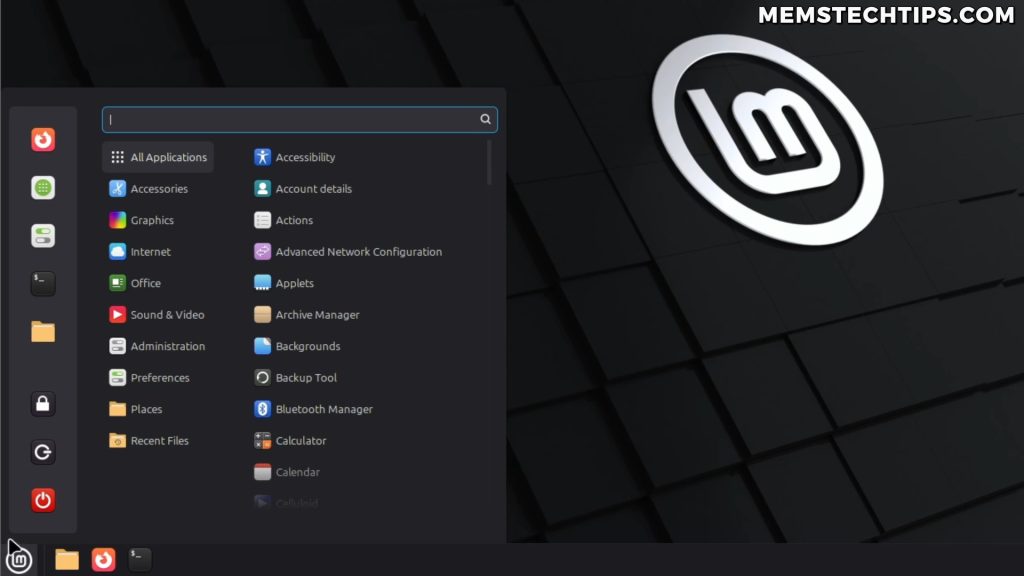
For context: I’ve installed Linux Mint (Cinnamon edition) on a few laptops and used it for short stretches. I also installed Nobara a few years ago, but I went back to Windows because the games I tried just didn’t run as well — Counter-Strike 2 in particular felt off compared to Windows.
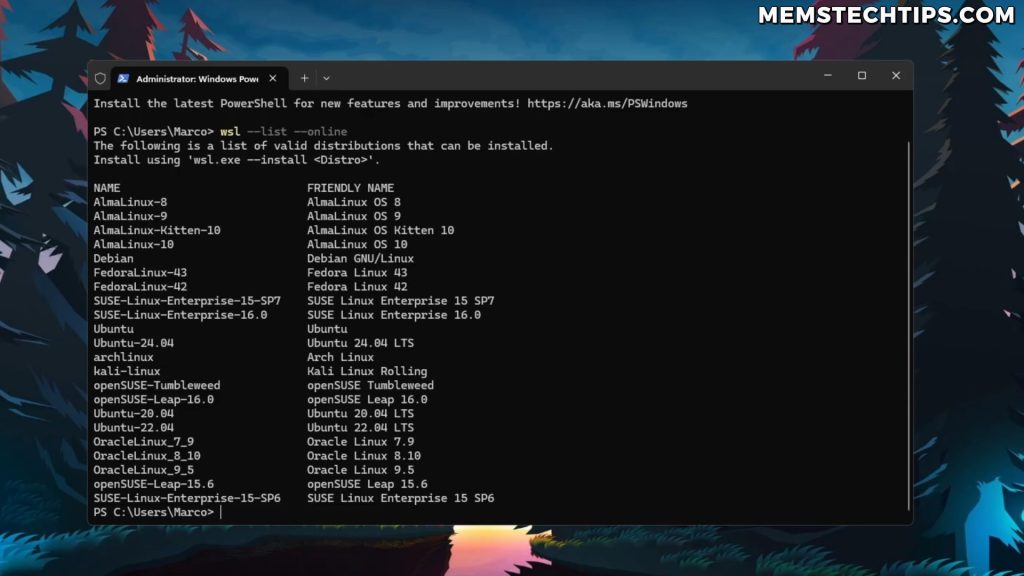
I’ve also been running Linux distributions inside Windows Subsystem for Linux (WSL) for coding and AI model work. That has made me far more comfortable with the Linux command line than I used to be — but it’s also not the same thing as living in Linux full-time.
Reason 1: I’m Building Winhance for Windows 11
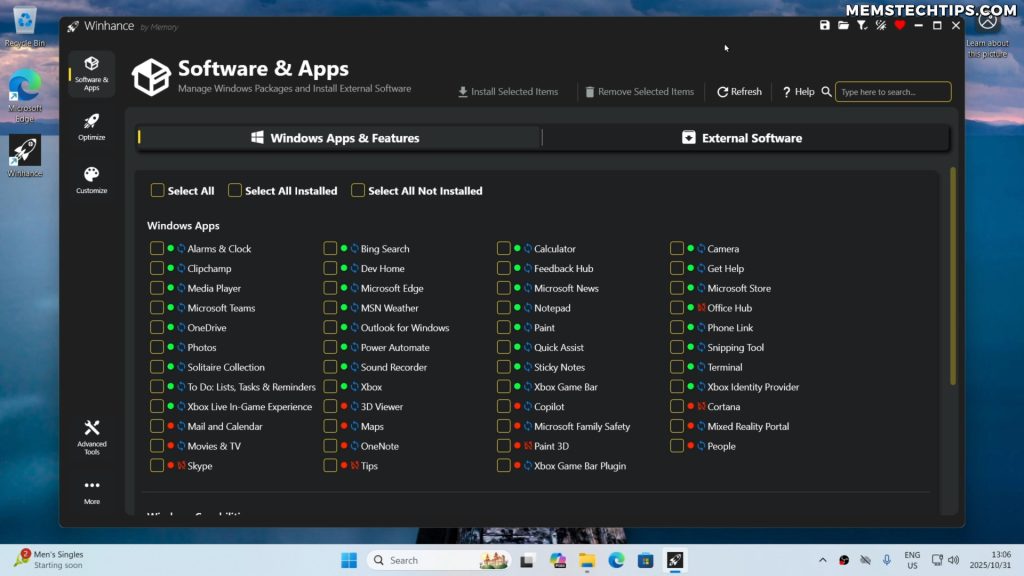
The biggest reason I’m not switching is professional: I’m building Winhance, the Windows Enhancement Utility. I can’t fix Windows 11 if I’m not using Windows 11 every single day. To make Winhance a high-quality tool, I need to live in Windows so I can hit the same bugs and annoyances my users do.
As Winhance has grown in popularity, the community has been opening GitHub issues for things I would never have noticed on my own — and that input is what keeps it useful. People have actually told me they left Linux and came back to Windows because Winhance made Windows 11 tolerable for them again. That feedback loop only works if I’m running Windows day to day.
Note: Winhance isn’t perfect, and I’m constantly iterating on it. If you’ve never used it, the idea is simple — strip out the ads, telemetry, Copilot, and bloat that ship with Windows 11 by default, and put the controls Microsoft hides behind ten different settings panels into a single tool.
Reason 2: Gaming Performance and Anti-Cheat
There is a popular narrative right now that Linux gaming is fully solved because of the Steam Deck, distros like Bazzite, and Valve’s Proton compatibility layer. For a lot of titles, that’s actually true. But it depends heavily on which games you play.
Competitive Games Still Feel Better on Windows
When I tried Counter-Strike 2 on Linux, it just wasn’t as smooth as on Windows. Input felt sluggish, and the overall feel of the game was a step behind. For single-player games, that gap probably won’t matter to you. For competitive games where every millisecond of input lag matters, Windows still has the edge in my testing.
Anti-Cheat is the Bigger Problem
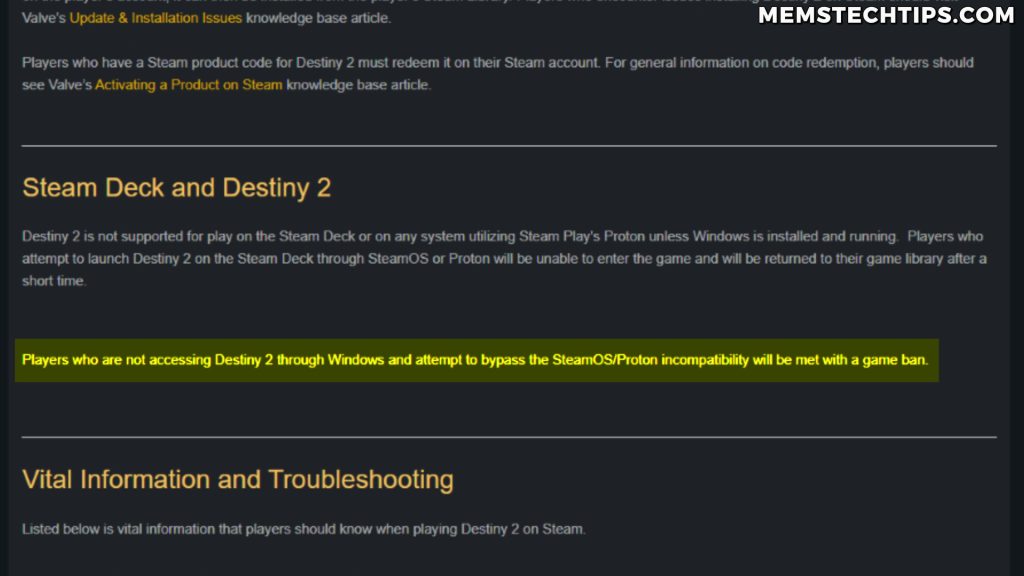
The harder problem is anti-cheat. Bungie has reportedly banned players for running Destiny 2 on Linux, and Epic Games has explicitly refused to support Fortnite on Linux. Riot’s Vanguard anti-cheat (Valorant, League of Legends) is a kernel-level driver that doesn’t run on Linux at all.
These aren’t niche games — they have tens of millions of players. If your daily rotation includes any of them, Linux is either off the table or risky.
Important: Linux gaming will likely keep improving, and for casual and single-player gaming it’s already great. But if competitive multiplayer is part of your weekly routine, weigh this carefully before switching.
Reason 3: Adobe and Microsoft Office Have No True Linux Equivalents
The third reason is professional software. The standard Linux advice is “just use GIMP instead of Photoshop” or “just use LibreOffice instead of Excel.” For a casual user, fine. For someone who has spent ten or fifteen years building muscle memory in Photoshop’s keyboard shortcuts or has Excel workbooks full of VBA macros, “just use the alternative” is bad advice.
You either retrain years of workflow or you spend your time fighting WINE and virtual machines to make Adobe and Office run on Linux. Both options eat into the time you should be spending getting actual work done.
This isn’t about being stubborn. It’s about productivity. The features in mature creative and office software — Photoshop’s content-aware fill, Excel’s PivotTables and Power Query, InDesign’s typography — don’t have one-to-one replacements on Linux yet, and might not for years.
Tip: Before switching, write down the apps you use every week. Check whether each one has a native Linux version, a web version that fits your workflow, or a true alternative — not just “GIMP exists.” If most of your daily list comes back red, the switch is going to hurt.
Reason 4: Linux Isn’t Automatically More Stable
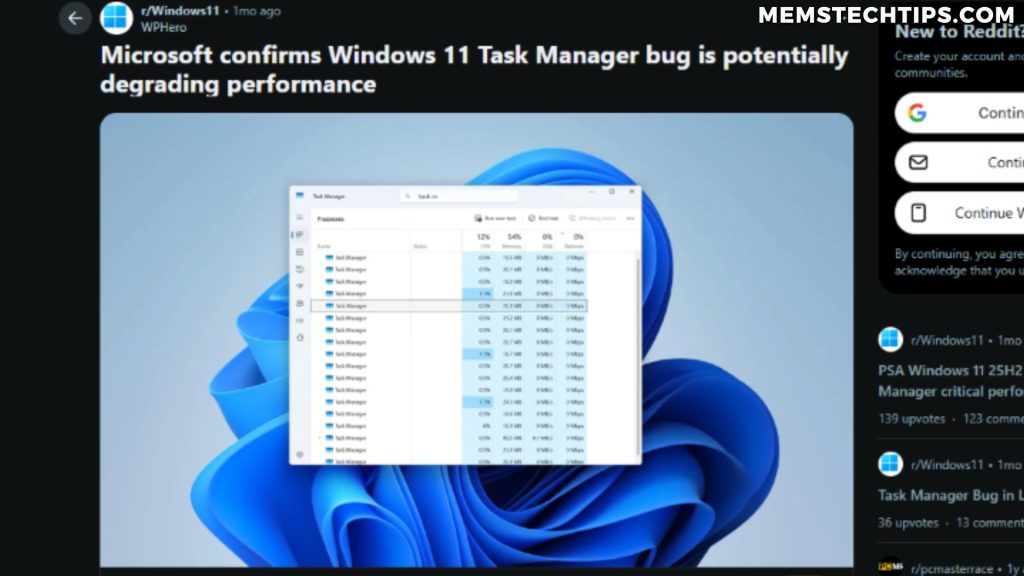
It’s true that Windows Update has caused a lot of pain recently — there have been reports of SSD corruption, the Task Manager memory bug, and various other regressions over the past year. But the assumption that Linux is immune to this kind of thing is just wrong.
CrowdStrike Took Down Linux Too
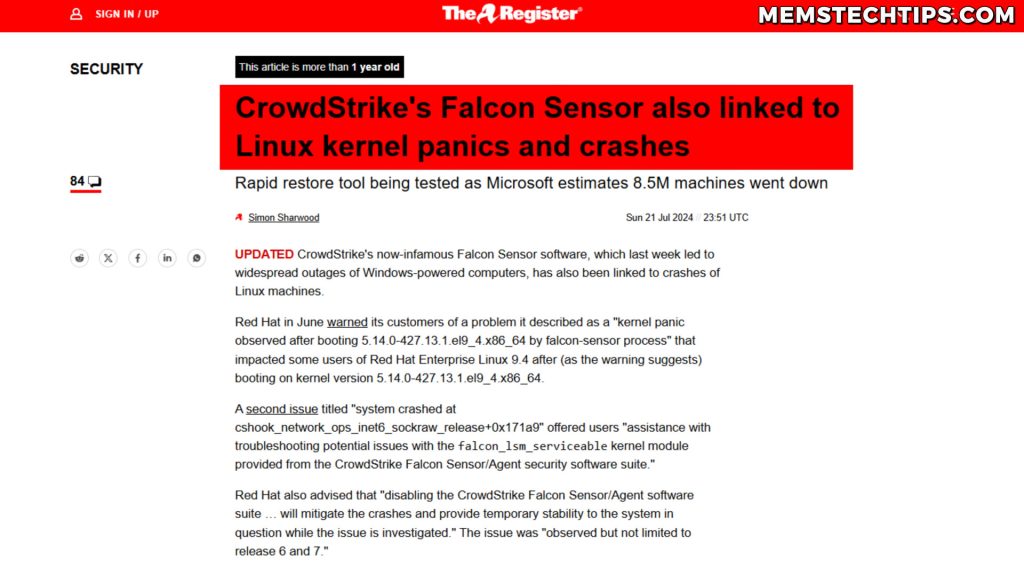
Most people remember the 2024 CrowdStrike outage as a Windows event — millions of Windows machines BSODed worldwide. What got less coverage is that CrowdStrike also pushed a bad patch that caused kernel panics on Red Hat and Debian-based Linux servers earlier the same year. Same vendor, same vector, two operating systems.
Rolling-Release Distros Break on Update
I haven’t lived through this myself, but plenty of Arch users have stories about an update that left them at a black screen needing to chroot in from a live USB to fix things. That sounds an awful lot like the Windows Update horror stories Linux advocates love to tell.
My take: Both operating systems can be stable or unstable depending on hardware, configuration, and update timing. Claiming Linux is universally more stable than Windows isn’t true in my experience. If you disagree, I’d genuinely love to hear your counter-examples — leave a comment.
Where Linux Genuinely Wins: Privacy
The one place where I think Linux is straightforwardly ahead of Windows is privacy and telemetry. Windows ships with a lot of data collection enabled by default, and even when you turn it off in Settings, there are layers underneath that you can’t fully kill without third-party tools.
That said — if you’re connected to the internet, you’re being tracked, full stop. Your ISP, the websites you visit, ad networks, and the services you log into all collect data regardless of which OS you boot. A VPN like ProtonVPN (which I use personally) does more for your privacy than swapping operating systems, and it works on Windows just as well as on Linux.
Tip: Privacy is mostly about your habits — VPN, privacy-focused browser, ad blocker, what services you sign into — not about your operating system. Switching from Windows to Linux without changing your habits doesn’t make you private. It just means you’re being tracked from a different OS.
The ProtonVPN link above is an affiliate link. ProtonVPN has a free tier with unlimited bandwidth — if you upgrade to a paid plan through that link, I earn a small commission at no extra cost to you.
Who Should Actually Switch to Linux?
If you mostly use your computer to browse the web, send email, watch YouTube, and run office documents that LibreOffice can handle, Linux is probably a better experience for you than Windows in 2026 — faster, leaner, and far less in your face. Linux Mint or Fedora would be solid starting points.
But if you’re someone like me — competitive games, video recording and editing, Microsoft Office for client work, and a software project that has to run on Windows — staying on Windows and taming it is the more sensible move.
The Tame-Windows-Instead Path
Most of the complaints people have about Windows — bloat, telemetry, Copilot, ads, hostile defaults — are removable. That’s the whole reason I built Winhance: to put those controls in one place. If you want to start cleaner from the very first boot, my UnattendedWinstall answer-file project debloats and configures a fresh Windows install before you even reach the desktop.
If you’d rather not install any tooling at all, you can do most of it manually — see my guide on removing Windows bloatware without third-party software using only PowerShell.
Note: If you’ve never seen Winhance in action, the video below walks through what it does to a fresh Windows 11 install.
My Future with Linux
I’m not anti-Linux — I’ll almost certainly use it more, and I want to make more content comparing distros. The customization side of Linux genuinely appeals to me, and I think it would be fun to build a desktop environment around exactly how I work.
The WSL time I’ve put in for coding and AI work has made me far more comfortable on the Linux command line than I used to be, and PowerShell + winget on the Windows side has done the same thing in reverse. When the day comes that I do switch — and it might — I’ll be in a much better position to make that transition smooth.
Bottom Line
The “just switch to Linux” advice you see all over the tech corner of the internet right now is too simple. Linux is excellent for a lot of users — it’s faster, leaner, and more private than Windows out of the box. But it isn’t a drop-in replacement, and the cost of switching depends heavily on what you actually do with your computer.
Before you make the jump, evaluate honestly: what games do I play, what software do I depend on, and is Linux ready for those workflows in May 2026? If the answer is yes, switch — Linux Mint and Fedora are great starting points. If the answer is no, you can usually fix Windows instead with a couple of free tools, no OS migration required.
Whatever you choose, choose it because of your actual workflow, not because of YouTube hype.
Frequently Asked Questions
Is Linux gaming actually as good as Windows in 2026?
For single-player and most multiplayer games, yes — Proton on Steam handles a huge percentage of the catalog very well, and the Steam Deck has pushed compatibility forward fast. The remaining problem is competitive games with kernel-level anti-cheat (Valorant, Fortnite, Destiny 2) which either don’t run on Linux or can get you banned. If your library avoids those, Linux gaming is genuinely good now.
Can I run Adobe Photoshop or Microsoft Office on Linux?
Not natively. Your options are: web versions (Office for the web, Photoshop Web — both stripped down), running them through WINE or in a Windows virtual machine (works for some workflows, slower and fragile), or switching to alternatives like GIMP and LibreOffice. The alternatives don’t have feature parity, and replacing years of Photoshop or Excel muscle memory is a real cost.
Is Linux really more stable than Windows 11?
It depends on the distro and your hardware. LTS releases of Ubuntu, Debian, and Fedora are extremely stable. Rolling-release distros like Arch can break on update if you don’t pay attention. Windows updates have caused real problems too — but the CrowdStrike incident affected both Windows and Linux, so claiming Linux is universally safer isn’t accurate.
Will switching to Linux protect my privacy?
Linux has less built-in telemetry than Windows, so the operating system itself is more private by default. But if you’re connected to the internet, you’re still being tracked by your ISP, the websites you visit, and ad networks regardless of OS. A VPN, a privacy-focused browser like Brave or Firefox, and an ad blocker like uBlock Origin do more for your privacy than the OS choice itself.
What is Winhance and how does it help Windows 11 users?
Winhance is a free, open-source Windows Enhancement Utility I’m developing. It removes Windows 11’s ads, bloatware, and telemetry, and lets you toggle the controls Microsoft scattered across ten different settings panels from one app. The goal is to keep the Windows software ecosystem you depend on while stripping out the parts that make Windows 11 frustrating to live with.