
This FREE App Might Replace the Windows 11 Taskbar for Me
Microsoft PowerToys just dropped version 0.98 and buried inside this update is a feature that honestly should have been built into Windows from day one. It’s called the Command Palette…
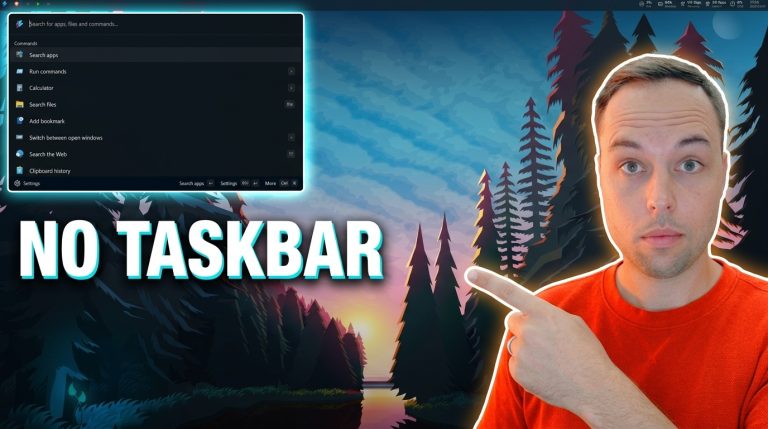
Microsoft PowerToys just dropped version 0.98 and buried inside this update is a feature that honestly should have been built into Windows from day one. It’s called the Command Palette…
Microsoft just published a blog post that honestly I never thought I’d see. The Executive Vice President of Windows basically admitted that Windows quality hasn’t been good enough — and…
To prevent Dev Home from being automatically installed on Windows 11, open Registry Editor, navigate to HKEY_LOCAL_MACHINE\SOFTWARE\Microsoft\WindowsUpdate\Orchestrator\UScheduler_Oobe, right-click the DevHomeUpdate key, and delete it. Once that key is removed, Windows…
To stop Windows 11 from automatically installing New Outlook through Windows Update, open Registry Editor, navigate to HKEY_LOCAL_MACHINE\SOFTWARE\Microsoft\WindowsUpdate\Orchestrator\UScheduler_Oobe, right-click the OutlookUpdate key, and delete it. That’s it — once that…
To enable long file paths in Windows 10 or 11, open the Registry Editor, navigate to HKEY_LOCAL_MACHINE\SYSTEM\CurrentControlSet\Control\FileSystem, and set the LongPathsEnabled value to 1. Restart your PC and Windows will…

To disable News and Interests on Windows 11 using Registry Editor, navigate to HKEY_LOCAL_MACHINE\SOFTWARE\Policies\Microsoft\Dsh, create a new DWORD 32-bit value named AllowNewsAndInterests, and set its value data to 0. Restart…
To disable Cortana from running in the background on Windows 10 or 11, open Registry Editor, navigate to HKEY_LOCAL_MACHINE\SOFTWARE\Policies\Microsoft\Windows\Windows Search, create a new DWORD (32-bit) value named AllowCortana, and set…
To disable Activity History on Windows 10 and 11, open Registry Editor, navigate to HKEY_LOCAL_MACHINE\SOFTWARE\Policies\Microsoft\Windows\System, and create three DWORD (32-bit) values: EnableActivityFeed, PublishUserActivities, and UploadUserActivities — all set to 0….
To disable hibernation on Windows 10 or 11 using the Registry Editor, navigate to HKEY_LOCAL_MACHINE\SYSTEM\CurrentControlSet\Control\Power, create a DWORD 32-bit value called HibernateEnabled and set it to 0. Then go to…
To disable Windows telemetry in Windows 10 and 11, open Registry Editor, navigate to HKEY_LOCAL_MACHINE\SOFTWARE\Microsoft\Windows\CurrentVersion\Policies\DataCollection, set AllowTelemetry to 0, then create the same DWORD value at a second registry path…