Skip to content
Memory Logo Mark
  • Home
  • WindowsExpand
    • Windows Customization
    • Windows Installation & Setup
    • Windows Troubleshooting
    • Windows Optimization
  • SoftwareExpand
    • Windows Applications
    • AI & Automation
    • Productivity Tools
    • Media & Video
    • Microsoft
  • HardwareExpand
    • Hardware Guides
    • Drivers & Updates
    • Testing & Diagnostics
  • My ProjectsExpand
    • Winhance
    • UnattendedWinstall
  • ResourcesExpand
    • About
    • Contact
    • Privacy Policy
    • Disclaimer
BEST FREE VPN

Memory Logo Mark
Memory's Tech Tips
  • Tutorial for disabling automatic feedback sampling in Windows 10 and 11 using Registry Editor
    Tutorials (How to) Security & Privacy Windows Customization Windows Optimization

    How to Disable Automatic Feedback Sampling Windows 10 & 11 (Regedit)

    To disable automatic feedback sampling in Windows 10 and 11, open Registry Editor by pressing Windows + R, typing regedit, and navigating to HKEY_LOCAL_MACHINE\SOFTWARE\Policies\Microsoft\Windows\DataCollection. Create two DWORD values named DoNotShowFeedbackNotifications…
    Read More How to Disable Automatic Feedback Sampling Windows 10 & 11 (Regedit)Continue

  • Windows 11 tutorial for disabling background apps using Registry Editor registry modifications
    Windows Optimization

    How to Disable Background Apps on Windows 11 (Regedit)

    To disable background apps in Windows 10 and 11 using the Registry Editor, press Windows + R, type regedit, and navigate to HKEY_LOCAL_MACHINE\SOFTWARE\Policies\Microsoft\Windows\AppPrivacy. Create a new DWORD (32-bit) value named…

    Read More How to Disable Background Apps on Windows 11 (Regedit)Continue

  • File Explorer registry edit tutorial to set This PC as default launch location instead of Quick Access
    Windows Customization Tutorials (How to)

    How to Set File Explorer to Launch This PC Instead of Quick Access (Regedit)

    To set File Explorer to open This PC instead of Quick Access, open Registry Editor by pressing Windows + R and typing regedit, then navigate to HKEY_CURRENT_USER\SOFTWARE\Microsoft\Windows\CurrentVersion\Explorer\Advanced. Create a new…

    Read More How to Set File Explorer to Launch This PC Instead of Quick Access (Regedit)Continue

  • Uninstall Microsoft Edge Cover Image
    Microsoft Edge Tutorials (How to)

    How to Uninstall Microsoft Edge from Windows 11 (Complete Removal Guide)

    If you’ve tried to uninstall Microsoft Edge from Windows 10 or Windows 11, you probably noticed something frustrating—the uninstall button is grayed out (if you live outside the EU). Microsoft…

    Read More How to Uninstall Microsoft Edge from Windows 11 (Complete Removal Guide)Continue

  • Windows 11 classic context menu tutorial using Registry Editor regedit method
    Windows Customization

    How to Enable Classic Context Menu in Windows 11 (Regedit)

    To enable the classic right-click context menu in Windows 11, open Command Prompt, PowerShell, or Terminal as admin and run this command: reg add “HKCU\Software\Classes\CLSID\{86ca1aa0-34aa-4e8b-a509-50c905bae2a2}\InprocServer32” /f /ve. Restart Windows Explorer…

    Read More How to Enable Classic Context Menu in Windows 11 (Regedit)Continue

  • Tutorial for disabling File Explorer search box suggestions on Windows 10 and 11 using Registry Editor
    Windows Customization Tutorials (How to)

    How to Disable Search Box Suggestions in File Explorer on Windows 10 & 11 (Regedit)

    To disable search box suggestions in File Explorer on Windows 10 and 11, open Registry Editor by pressing Windows + R, typing regedit, and navigating to HKEY_CURRENT_USER\Software\Policies\Microsoft\Windows\Explorer. Create a new…

    Read More How to Disable Search Box Suggestions in File Explorer on Windows 10 & 11 (Regedit)Continue

  • Tutorial for disabling mouse acceleration on Windows 10 and 11 using Registry Editor regedit method
    Windows Customization Tutorials (How to) Windows Optimization

    How to Disable Mouse Acceleration on Windows 10 & 11 (Regedit)

    To disable mouse acceleration in Windows 10 or 11, open Registry Editor by pressing Windows + R, type regedit, and navigate to HKEY_CURRENT_USER\Control Panel\Mouse. Change the values for MouseSpeed to…

    Read More How to Disable Mouse Acceleration on Windows 10 & 11 (Regedit)Continue

  • Windows 11 disable Sticky Keys using Registry Editor tutorial guide for accessibility settings modification
    Windows Customization Tutorials (How to)

    How to Disable Sticky Keys on Windows 11 (Regedit)

    To disable Sticky Keys on Windows 10 or 11 using Registry Editor, navigate to HKEY_CURRENT_USER\Control Panel\Accessibility\StickyKeys, change the Flags value to 506, create a new string value named KeyboardPreference, and…

    Read More How to Disable Sticky Keys on Windows 11 (Regedit)Continue

  • Winhance Docs comprehensive guide covering all features and documentation for Windows customization tool
    Winhance

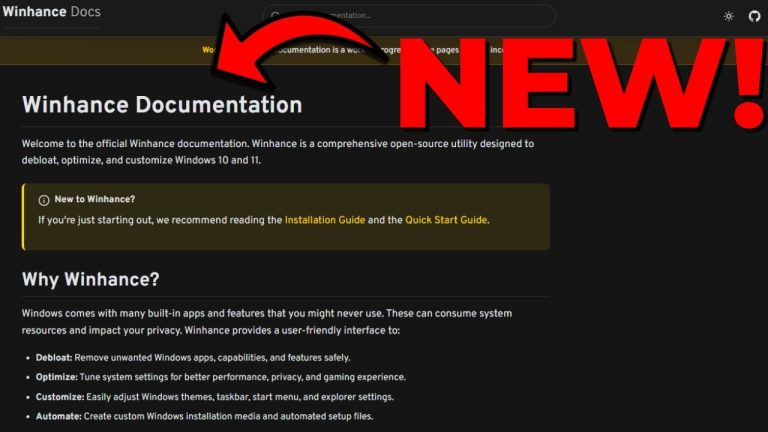
    Introducing Winhance Docs – All You Need to Know About Winhance!

    Today I’m announcing the release of the first ever version of the Winhance Docs. This is something I’ve been working on to help answer a lot of the questions I’ve…

    Read More Introducing Winhance Docs – All You Need to Know About Winhance!Continue

  • Windows 10 taskbar transparency tutorial using Open Shell customization software
    Windows Customization Tutorials (How to)

    How to Make Your Taskbar Transparent on Windows 10 with Open Shell

    To make your Windows 10 taskbar transparent using OpenShell, you need to download and install OpenShell from GitHub, then enable the “Customize taskbar” option in its settings and set the…

    Read More How to Make Your Taskbar Transparent on Windows 10 with Open ShellContinue

Page navigation

1 2 3 … 24 Next PageNext

MEMORY'S TECH TIPS

Privacy Policy | Disclaimer | Contact | About

YouTube Discord Github X Facebook Instagram TikTok

© 2026 Memory's Tech Tips - WordPress Theme by Kadence WP

  • Home
  • Windows
    • Windows Customization
    • Windows Installation & Setup
    • Windows Troubleshooting
    • Windows Optimization
  • Software
    • Windows Applications
    • AI & Automation
    • Productivity Tools
    • Media & Video
    • Microsoft
  • Hardware
    • Hardware Guides
    • Drivers & Updates
    • Testing & Diagnostics
  • My Projects
    • Winhance
    • UnattendedWinstall
  • Resources
    • About
    • Contact
    • Privacy Policy
    • Disclaimer
Search