

These days it seems that everyone’s talking about moving away from Windows and switching to Linux. I guess this is partially because Windows 10 support ended this year. Yes, there is another year of free extended security updates, but most people are left with the decision to either upgrade to Windows 11 or make the jump to Linux.
Now in the YouTube tech community, you’ll find a lot of people bashing Windows and Microsoft. And I guess some of it is deserved. I mean, there are also a lot of questionable choices that Microsoft is making with Windows that I don’t agree with – things like the ads shown in Windows, recall taking screenshots of your computer every few seconds, Microsoft Copilot being integrated everywhere, and even more AI components being put into Windows to make it an agentic operating system.
But here’s the thing: just switching to Linux won’t automatically solve all your problems. Let me explain why I’m not making the switch yet, and why you might want to think twice before doing it yourself.
Key Takeaways
- Linux isn’t a one-size-fits-all solution for Windows users – your specific use case matters more than general advice
- Gaming on Linux has improved dramatically but still falls short for competitive gaming and certain titles
- Professional productivity software like Adobe and Microsoft Office don’t have true equivalents on Linux, making switching difficult for long-time users
Requirements
To follow along with this discussion about switching from Windows to Linux, you should have:
- A basic understanding of operating systems and what Linux is
- Awareness of your own computer usage patterns (gaming, productivity apps, browsing, etc.)
- Willingness to consider both sides of the Windows vs Linux debate objectively
Why Should You Consider Staying on Windows?
The current notion going around is that people are saying, just switch to Linux and all of your problems will be solved. And that simply isn’t true. Yes, there is a little bit of truth to that, but it depends heavily on what you use your computer for. Not everyone has the same computing needs, and Linux, while powerful, isn’t always the best fit for every user scenario.
My Experience with Linux Before We Dive In
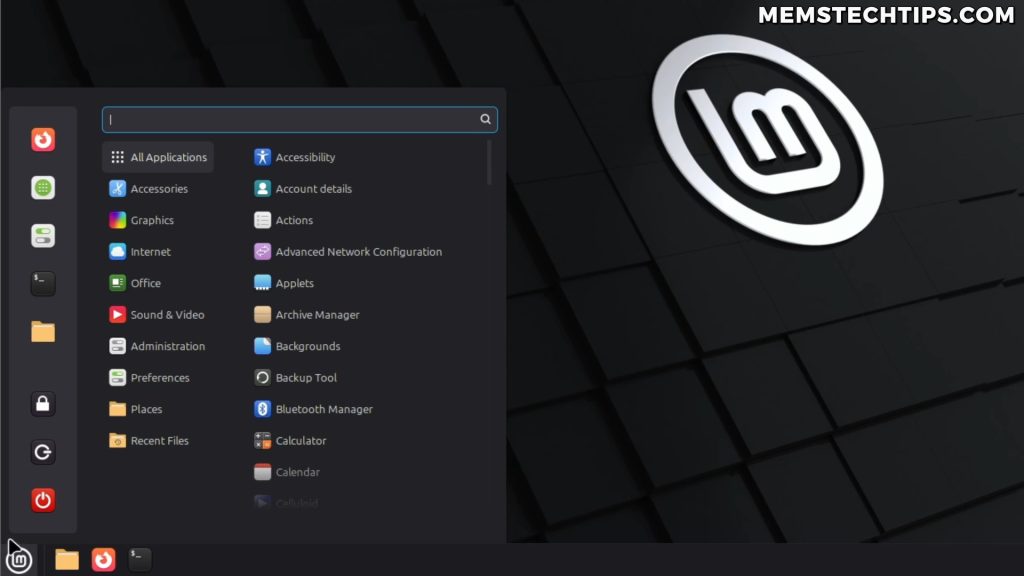
Let me be upfront about my Linux experience. At the time of this recording, I’ve installed Linux Mint (the Cinnamon edition) on a few laptops and used it for a little bit. I also installed and fiddled around with Nobara a few years ago, but I went back to Windows because the games that I tried playing on Linux just didn’t run as well as on Windows. I primarily play Counter-Strike 2, and it just didn’t run the same as it did on Windows.
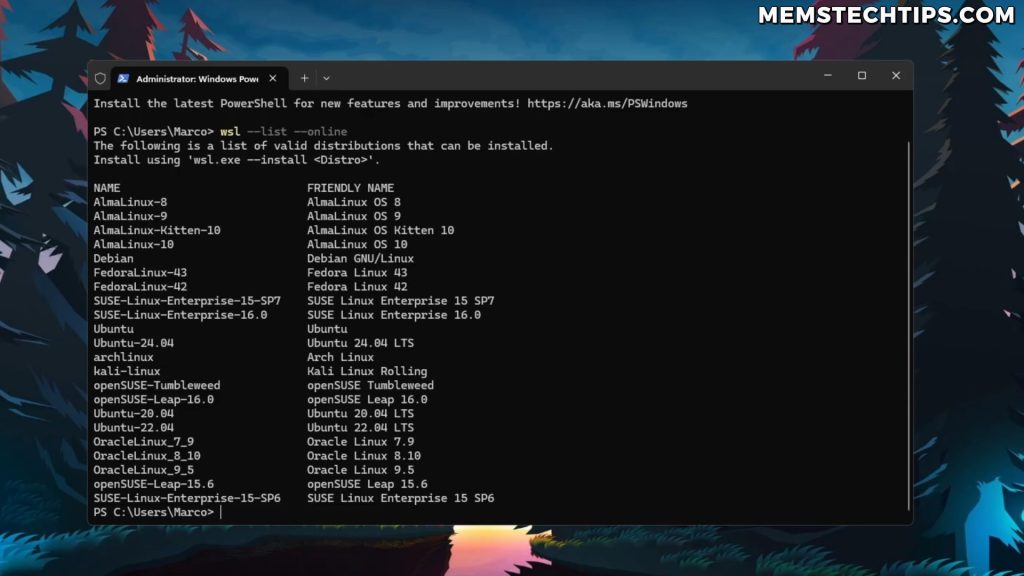
I’ve also been using Windows Subsystem for Linux (WSL), which is a virtualization environment where you can install Linux distributions inside of Windows and then use that through the command line. But that’s basically where my experience with Linux ends for now.
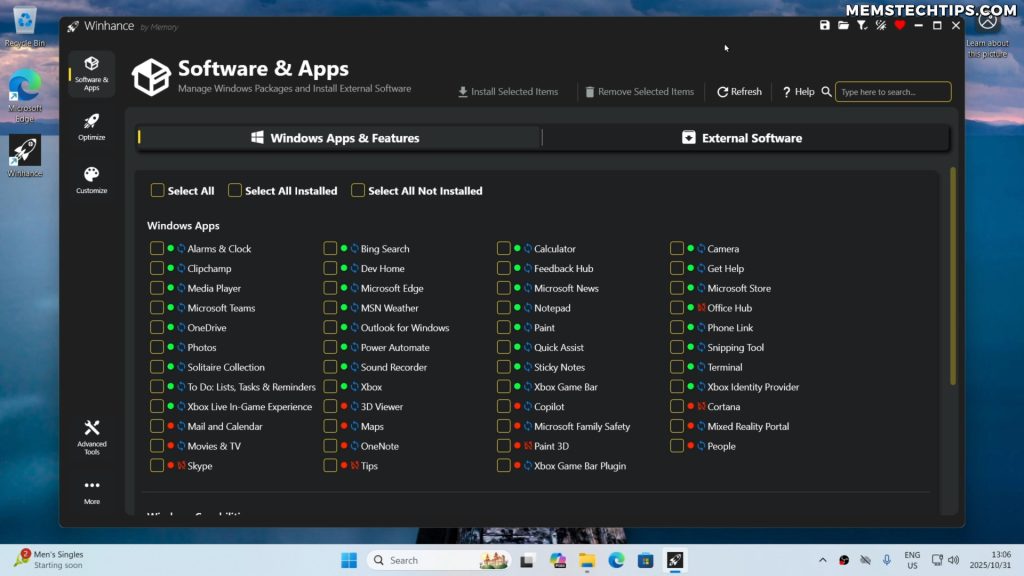
Reason #1: I’m Building Winhance for Windows 11
My main reason for not switching is that I’m building Winhance, the Windows Enhancement Utility. So I can’t really fix Windows 11 if I’m not using Windows 11 every single day. To make the best version of Winhance that I can make, and to make it a high quality tool for the operating system, I need to live in Windows every single day so that I can see the bugs and the annoyances that need fixing, at least in my opinion.
As Winhance is growing in popularity, a lot of people are requesting new features and they’re creating issues on GitHub. I absolutely love that, because obviously the community sees a lot more issues with the operating system than just what I have in my opinion. So that also helps to make it the best all-around tool for enhancing Windows 11, and to actually make Windows 11 usable again.
Note: Winhance isn’t perfect – it’s in development and I’m constantly working on it. But I’ve already gotten great feedback from the community, with people saying they’ve left Linux and came back to Windows because Winhance actually made Windows 11 usable for them.
Reason #2: Gaming Performance on Linux vs Windows
There’s a common misconception where people think Linux gaming is perfect now because of the Steam Deck. You get distros like Bazzite, and then you’re also going to get Steam OS, which is based on Arch Linux. So most people think that Linux is now perfect for gaming.
But in my experience, this is going to depend heavily on which games you actually want to play.
Competitive Gaming Performance Issues
Like in my case, when I tried playing Counter-Strike 2 on Linux, it just wasn’t as smooth as on Windows. The input felt sluggish and the game just didn’t feel better compared to Windows. The game felt better on Windows compared to Linux, plain and simple.
Now if you’re playing single player games and you’re not playing competitive games, then maybe gaming on Linux is going to work perfect for you. But for competitive gamers where every millisecond of input lag matters, Windows still has the edge.
Anti-Cheat and Game Studio Support Problems
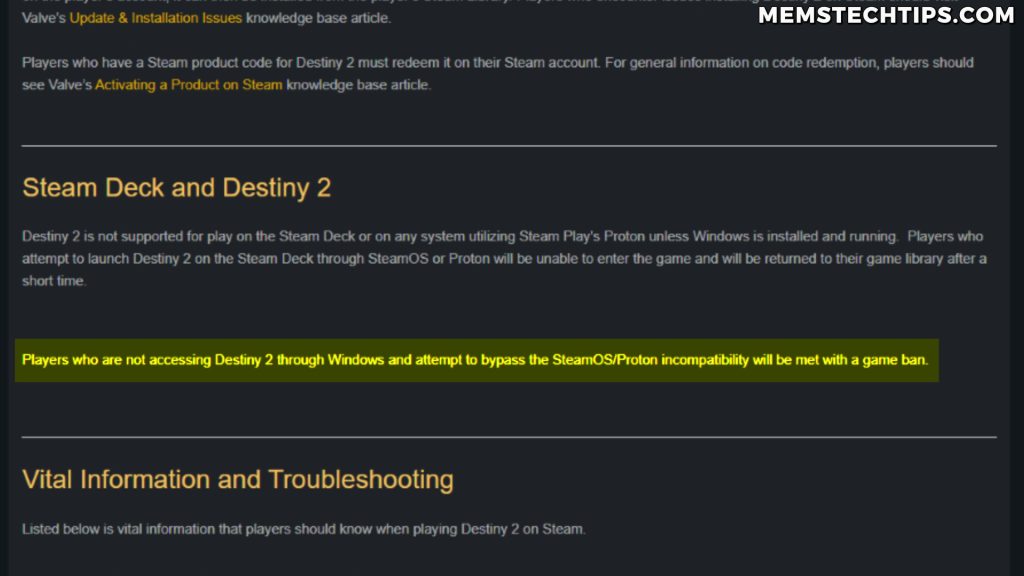
There have been reports of Bungie, which is the game studio for Destiny 2, literally banning people for running the game on Linux. And then Epic Games said that they refuse to support Fortnite on Linux.
These aren’t small indie games – these are major titles with massive player bases. If the games you love to play aren’t supported on Linux, or worse, can get you banned, that’s a dealbreaker.
Important: While I think this might change in the future and Linux might become better for gaming, it’s just not there for me right now. If competitive gaming is part of your daily routine, you need to seriously consider this limitation.
Reason #3: Professional Productivity Software Limitations
The third reason is related to productivity apps like Adobe applications and Microsoft Office. Now you’ll get people that tell you to just use GIMP instead of Photoshop or just use LibreOffice instead of Microsoft Office.
But that’s just bad advice for people who’ve used Photoshop and Excel or Word for 10 or more years. Their muscle memory is already trained on those apps.
The Problem with Alternative Software Recommendations
Coming over to Linux, users are going to spend a lot of time fighting the operating system to make the software work via WINE or to run it in virtual machines, just to get their work done the way they want to get it done. So it’s either that or they have to learn new software like GIMP or LibreOffice.
And sometimes these apps just don’t have the exact same functionality that the other apps have. It’s not about being stubborn or resistant to change – it’s about productivity and getting work done efficiently.
Real-World Impact on Productivity
If you’re a graphic designer who’s spent years mastering Photoshop’s keyboard shortcuts and workflows, switching to GIMP isn’t just a matter of learning a new interface. You’re retraining years of muscle memory. The same goes for Excel power users who rely on specific features, macros, or VBA scripts that simply don’t exist in LibreOffice Calc.
Tip: Before switching to Linux, make a list of all the software you use daily and research whether native Linux alternatives exist that can truly match your workflow needs – not just basic functionality.
Reason #4: System Stability and Updates
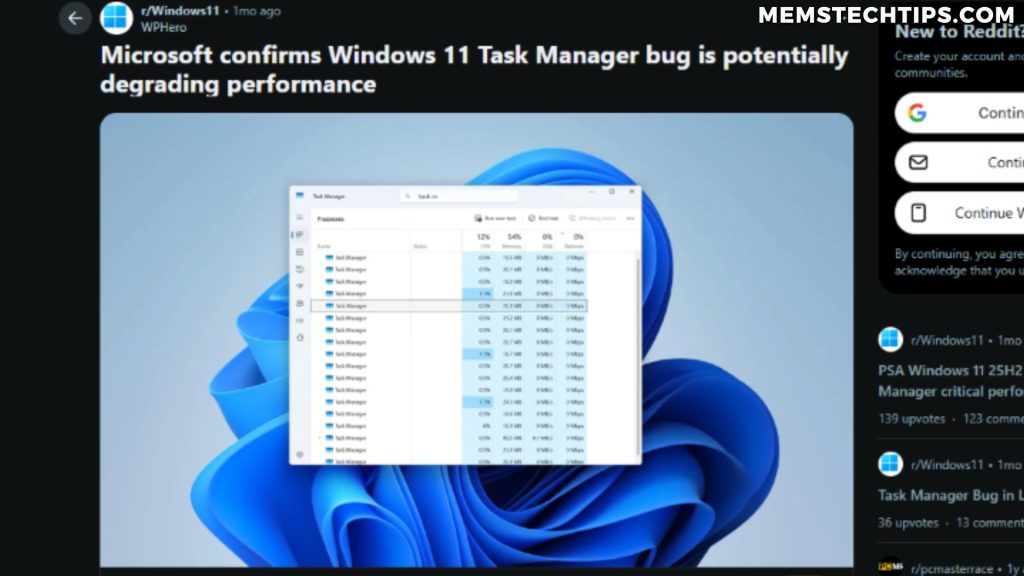
Now it’s completely true that Windows Update does break things. I mean the past few months the updates we’ve had have been so bad from Windows – from reports of people’s SSDs being broken or corrupted, to the task manager bug where it just ate up a bunch of RAM and CPU and basically just hogged the computer.
But to think that that type of thing does not happen on Linux is just completely untrue.
The CrowdStrike Incident: A Wake-Up Call
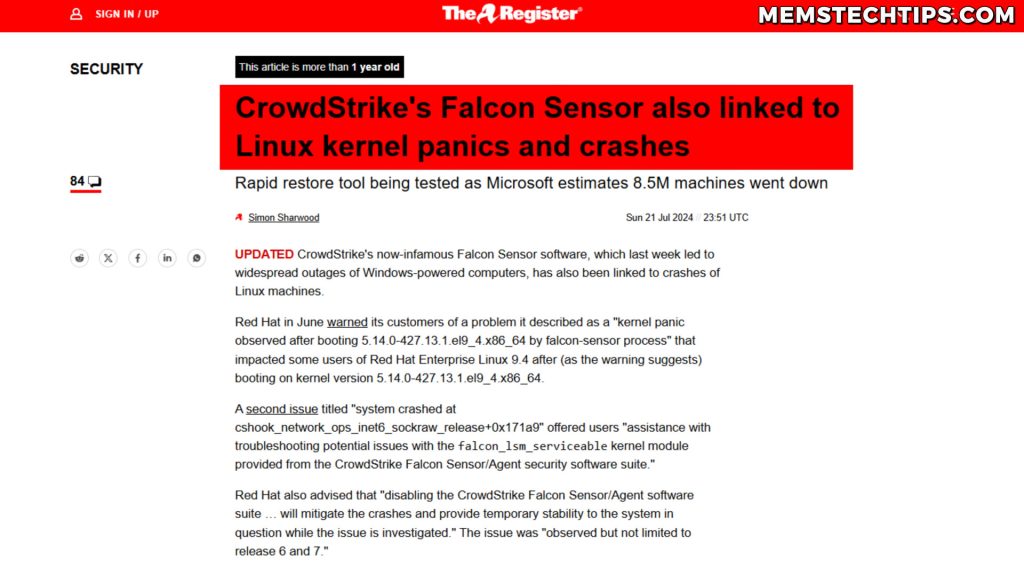
Most of you will remember the CrowdStrike outage we had where Windows had a blue screen of death because of a bad CrowdStrike patch that was deployed to Windows operating systems. But there was also actually a CrowdStrike patch which caused kernel panics on Red Hat and Debian Linux. So it happens on Linux too.
Distribution Updates and Breaking Changes
While I haven’t personally had experience with this, a lot of people suggest using Arch Linux, and I guess it happens on other distros too, but sometimes the distribution just breaks after an update and the user can’t get back into their system. They have to spend hours trying to fix it. And this sounds an awful lot like Windows, doesn’t it?
Important: In my opinion, to claim that Linux is more stable than Windows, I don’t think that’s true. Both operating systems have their stability issues depending on your hardware, software configuration, and update timing.
What About Privacy Concerns?
Now when it comes to privacy, I think the case can be made that Linux is ahead of Windows. We all know there’s a ton of telemetry and data collection in Windows, which doesn’t exist on Linux as much as it does on Windows.
The Reality of Online Privacy
But if you think that just by using Linux you’re completely private, that also isn’t true. In my personal opinion, if you’re connected to the internet, you are being tracked and there is some sort of telemetry going on.
You can use a VPN like ProtonVPN for example, which is what I personally use. And this is going to make your digital footprint and the tracking of your online activities much harder for the companies that are trying to track you and collect your data. But a VPN works on Windows just as well as it does on Linux.
Disclaimer: ProtonVPN offers a completely free version, but this article includes affiliate links. If you choose to upgrade to a paid plan after downloading the free version through these links, I’ll earn a commission at no extra cost to you. Thanks for your support!
Tip: Privacy is more about your online habits, the services you use, and the tools you implement (like VPNs, privacy-focused browsers, and ad blockers) rather than just your choice of operating system.
My Future with Linux
Now I will just mention that I’m not anti-Linux. I am most probably going to use it more and I’m also going to create more content about it because I really want to check out the different distros that exist and how they compare to each other.
I also know that with Linux you can do a ton of customizations. You can basically create your own desktop environment catered to your needs. And that sounds like something fun that I might do in the future.
Command Line Familiarity Helps
Using Windows Subsystem for Linux, primarily for coding and running coding AI models, has made me more familiar with the command line. And also on Windows, using PowerShell and tools like winget have made me more familiar and comfortable with using commands. I think this makes it easier for a Windows user to move over to Linux when the time is right.
Who Should Switch to Linux?
So in my opinion, if you’re someone that just uses your computer to browse the internet and to do emails, Linux could be better than Windows for you. It’ll be faster, more private, and generally less bloated.
But if you’re someone like me, who also does those tasks like browsing the internet and replying to emails, but you’re also playing specific games like competitive games, recording videos, editing videos, and you need to use Microsoft proprietary software like Microsoft Office, then in that case, I think it’s just better to stay on Windows.
The Winhance Solution
Instead of switching completely, you can remove the annoyances from Windows like I’m doing with my software Winhance. It’s about making Windows work the way you want it to work, without the bloat, telemetry, and annoying features that Microsoft keeps pushing.
Note: If you’ve never heard of Winhance, the Windows Enhancement Utility before, check out the video below where I go in-depth on how it can transform your Windows 11 experience.
Conclusion
The decision to switch from Windows to Linux isn’t as simple as the tech community makes it seem. While Linux has made incredible strides in usability, hardware support, and even gaming compatibility, it’s still not the perfect solution for everyone.
For me, staying on Windows 11 makes sense because of my work on Winhance, my need for competitive gaming performance, and my reliance on specific productivity software. But that doesn’t mean Linux isn’t amazing – it just means it’s not the right fit for my current needs.
Before you make the switch, honestly evaluate what you use your computer for. Don’t let internet hype or Windows hate push you into a decision that might make your daily computing more difficult. Both operating systems have their place, and the best OS is the one that lets you get your work done efficiently and enjoy your computing experience.
Whether you choose Windows, Linux, or even dual boot both, make sure it’s a choice based on your actual needs and not just what’s trending in tech circles.
Frequently Asked Questions (FAQ)
Is gaming on Linux really as good as Windows now?
Gaming on Linux has improved significantly thanks to Proton and Steam Deck, but it’s not quite on par with Windows yet. Single-player games often work great, but competitive gaming can suffer from input lag and performance issues. Additionally, some games with anti-cheat systems like Destiny 2 and Fortnite either don’t work or can get you banned on Linux.
Can I run Adobe Photoshop or Microsoft Office on Linux?
You can’t run Adobe Photoshop or Microsoft Office natively on Linux. Your options are to use WINE or virtual machines to run Windows software, use web-based versions (which lack features), or switch to alternatives like GIMP and LibreOffice. However, these alternatives don’t have feature parity and require relearning workflows if you’ve used Adobe or Microsoft products for years.
Is Linux more stable than Windows 11?
Both operating systems can have stability issues depending on your hardware and configuration. Windows updates have caused problems recently, but Linux distributions can also break after updates, especially rolling release distros like Arch. The CrowdStrike incident affected both Windows and Linux systems. Stability depends more on your specific setup than the operating system itself.
Will switching to Linux completely protect my privacy?
Linux is generally more privacy-focused than Windows since it doesn’t have the same level of telemetry and data collection built in. However, just using Linux doesn’t make you completely private. If you’re connected to the internet, you’re still being tracked by websites, services, and ISPs. Using privacy tools like VPNs, privacy-focused browsers, and ad blockers is more important than just your choice of OS.
What is Winhance and how does it help Windows 11 users?
Winhance is a Windows Enhancement Utility I’m developing that helps debloat and optimize Windows 11. It removes annoying features, bloatware, and telemetry while making the operating system more usable. Instead of switching to Linux, Winhance lets you customize Windows to work the way you want it to, eliminating many of the complaints people have about Windows 11.